
ZAR Casino South Africa Mobile App
The ZAR Casino South Africa app puts slots, crash games and live dealer tables on your Android or iOS device, with the same rand banking and bonus system as the desktop site. Download it once and keep playing without opening a browser tab each time.


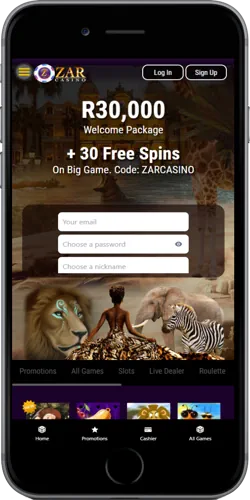
Why South African players install the app
ZAR Casino South Africa built its app to stay small and fast rather than heavy on storage, which matters on a mid-range Android phone with limited free space. Compared with the mobile browser version, the app opens directly to a login screen and skips the address bar, saving a step every time a player wants a quick round of Aviator between errands in Johannesburg or Durban.
Banking inside the app mirrors the desktop Banking tab exactly, so a deposit made through Instant EFT or a card still follows the same R55 or R100 minimum rules. The app requires Android 5.0 or higher, or a recent iOS version, and typically needs under 40MB of storage once installed, a figure common across most South African iGaming apps of similar scope rather than a number unique to this one operator.
Getting the app onto your phone
Android users download the app directly from the ZAR Casino South Africa site rather than the Play Store, since most South African casino apps sit outside Google's gambling policy for that market. iOS users typically access a web-app shortcut added to the home screen, which behaves like a native app without a separate App Store listing.
- Open the site on your phone browser and tap the download prompt.
- Allow installation from an unknown source if using Android.
- Open the installed app and log in with your existing account.
- Add a home screen shortcut on iOS if one was not created automatically.
- Confirm banking details still match your desktop account before depositing.
Unlike a Play Store app that updates automatically in the background, this direct-download app usually prompts you manually when a new version is ready, so checking the app occasionally for an update notice keeps banking and game loading running smoothly.
App play against browser play, side by side
A player choosing between the app and the mobile browser is really weighing convenience against flexibility, since both connect to the same account, balance and bonus terms. The app loads game assets it already stored locally, while the browser re-downloads elements each session, which shows up as a small but noticeable speed difference on slower mobile data.
Installed application
ZAR Casino app
- ✓ Loads cached assets locally
- ✓ Skips browser address bar step
- ✓ Push-style update prompts
- ✓ Same login and balance as desktop
No install needed
Mobile browser
- ✓ Works on any device instantly
- ✓ No storage space required
- ✓ Always runs the latest version
- ✓ Same games and RTP as the app
Keeping the app account secure
The app carries the same encryption on banking data as the desktop site, and a new device logging into an existing account can trigger a verification prompt before deposits are allowed. KYC documents submitted once on desktop do not need to be resubmitted through the app, since both point to the same underlying account record.
App-only sessions time out after a period of inactivity, a security habit worth keeping in mind on a shared phone, and password recovery through the app follows the identical email-reset process used on desktop rather than a separate app-specific recovery flow.